Hot Food Bucket Mockup
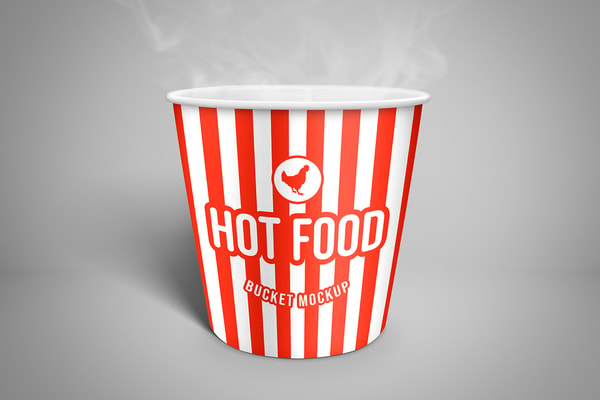
A high resolution hot food bucket mockup for southern fried chicken and other delicious takeaway food. Place your own branding onto the container, update the colors and you're ready to showcase your steamy designs (the steam is optional).
After you open the .psd file in Photoshop you can replace the sample graphics on the bucket with your own custom design, change the color of the bucket and the background to any shade you want. This mockup also features an optional steam layer which can be turned off.
How to update the design
- Open Hot Food Bucket Mockup.psd' in Photoshop CS6+
- Right click on the red labelled [YOUR DESIGN HERE] and choose Edit Contents
- Update or replace the placeholder design with your own graphics
- Save and close the Smart Object
- Repeat for the other sides
How to customize the mockup
- Double click on the green labelled Change Bucket Color layer thumbnail
- Use the color picker to choose a new color
- Double click on the green labelled Change Background Color layer thumbnail
- Use the color picker to choose a new color
- Turn on or off visibility for the 'Steam' layer
- Change the opacity of the layers inside the Shadows/Lighting group to adjust lighting
Want More?
Get curated design picks delivered straight to your inbox